
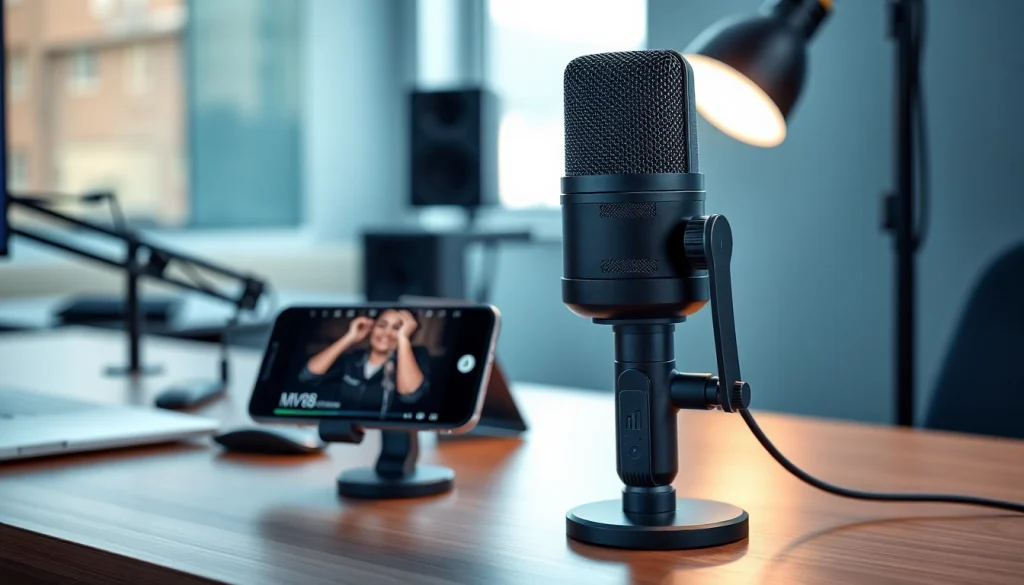
Understanding the MV 88 Microphone
The MV 88 is a compact and versatile digital stereo condenser microphone that connects seamlessly to iOS devices, making it an essential tool for musicians, podcasters, and content creators alike. In a fast-evolving audio landscape, the demand for high-quality recording solutions continues to grow, and the MV 88 stands out for its exceptional sound clarity and user-friendly features. As we enter 2025, understanding the unique aspects and capabilities of this microphone is crucial for anyone looking to capture professional-grade audio on the go. The MV 88 not only simplifies the recording process but also elevates the quality of audio projects, allowing creators to focus on what truly matters: their content. Whether you are looking to MV 88 record a live performance, conduct interviews, or produce high-fidelity recordings for video, this microphone is designed to meet your needs.
What Makes the MV 88 Unique?
What sets the MV 88 apart from conventional microphones is its combination of portability, versatility, and sound quality. Specifically designed to plug directly into Apple devices via a Lightning connector, the MV 88 utilizes advanced technology to ensure superior audio performance in any setting. Key features that contribute to its uniqueness include:
- Mid-Side Recording: The MV 88 utilizes a mid-side stereo configuration, allowing users to adjust the stereo width in post-production, making it ideal for various recording environments.
- Intuitive Control App: Accompanying the microphone is the ShurePlus MOTIV app, which offers a range of customizable settings, including EQ, compression, and limiting, enabling users to tailor their recordings precisely.
- Compact Design: Weighing less than an ounce, the MV 88 is incredibly portable, meaning you can take it anywhere without compromising sound quality.
- Robust Build: Despite its small size, the MV 88 is constructed with durable materials that ensure it stands up to the rigors of travel and outdoor recording.
Technical Specifications and Features
The technical specifications of the MV 88 showcase its capability to deliver high-quality sound. Here are some critical features:
- Frequency Response: 20 Hz to 20 kHz, capturing a wide range of audio frequencies.
- Max SPL: 130 dB, enabling the microphone to handle loud sound sources without distortion.
- Polar Pattern: Configurable mid-side capsule arrangement, allowing for customized recording angles and stereo width.
- Connection Type: Lightning connector compatible with iOS devices, ensuring quick and easy setup.
Applications in Various Audio Projects
The versatility of the MV 88 makes it suitable for a wide range of applications:
- Music Recording: Ideal for capturing vocals and instruments, whether in a studio or a live setting.
- Podcasting: Enables users to produce high-quality podcasts with clear audio, enhancing listener engagement.
- Field Recording: Perfect for documentary filmmakers and journalists needing high-fidelity audio in various environments.
- Video Production: Complements video projects by providing clear sound that matches the visual quality, particularly important for YouTube creators.
Setting Up Your MV 88
Getting started with the MV 88 is a straightforward process. Here’s how to set it up effectively:
Step-by-Step Guide to Setup
- Unbox the MV 88 and ensure you have a compatible iOS device ready.
- Connect the MV 88 to your iOS device’s Lightning port.
- Download the ShurePlus MOTIV app from the App Store and launch it.
- Adjust any necessary settings within the app, including the stereo width and gain levels.
- Start recording by selecting the desired mode (e.g., music, podcast, vocals) from the app.
Connecting to iOS Devices
The MV 88’s direct connection to iOS devices allows for seamless integration. Ensure your device is updated to the latest iOS version for optimal performance. The microphone automatically recognizes the device upon connection, and users can instantly access settings through the ShurePlus MOTIV app.
Troubleshooting Common Setup Issues
While the MV 88 setup is typically hassle-free, users may encounter occasional issues:
- Microphone Not Recognized: Ensure the Lightning connector is fully inserted and your iOS device is updated.
- App Not Functioning Properly: Restart the app or your device if you experience any errors.
- Audio Quality Issues: Check that the microphone is set to the correct mode for your recording environment.
Capturing High-Quality Audio
To maximize the performance of the MV 88 and achieve superior audio quality, consider the following best practices:
Best Practices for Recording with MV 88
- Use a Windshield: If recording outdoors, utilize a windshield to minimize wind noise.
- Monitor Audio Levels: Use the app to monitor audio levels and make adjustments as necessary.
- Maintain Optimal Distance: Keep an appropriate distance from the sound source to avoid distortion.
Choosing the Right Environment for Recording
The recording environment significantly impacts audio quality. For the best results, choose locations that are quiet and have minimal background noise. If you are indoors, consider using acoustic treatments to enhance sound clarity.
Adjusting Settings for Optimal Performance
The ShurePlus MOTIV app allows users to customize settings based on the recording scenario. Experiment with the EQ settings and compression to find the ideal balance for your project.
Editing and Enhancing Your Audio
Once your audio is recorded, the next step is editing and enhancing it to ensure it meets professional standards. Here are some recommendations for post-production:
Software Recommendations for Post-Production
- Audacity: A free, open-source audio editing tool that provides robust features for editing and mixing.
- Adobe Audition: A professional-grade audio editing software that offers a range of advanced tools for audio enhancement.
- GarageBand: Ideal for Mac users, providing an intuitive interface for music production and podcasting.
Techniques for Audio Enhancement
To improve the overall quality of your recordings, consider employing the following techniques:
- Equalization (EQ): Use EQ to balance frequencies, enhancing clarity in instruments and vocals.
- Compression: Apply compression to level out audio dynamics, preventing distortion while maintaining natural sound.
- Reverb: Adding subtle reverb can create a sense of space, making audio sound more dynamic.
Exporting Quality Files for Various Platforms
When exporting your audio files, choose formats that maintain quality while being compatible with platforms where you’ll share your work. Common formats include:
- WAV: Offers high fidelity and is ideal for professional use.
- MP3: Compressed format that is perfect for online sharing with reduced file size.
- AIFF: Retains high quality, similar to WAV, and is suitable for Apple users.
Future Trends in Audio Technology
As we look towards 2025 and beyond, several trends in audio technology are expected to shape the industry:
Innovations Expected in 2025 and Beyond
The audio landscape is continuously evolving, with innovations in connectivity, sound processing, and user experience. Anticipated advancements include greater integration of AI in audio editing tools, improved audio quality in mobile devices, and enhanced wireless microphone technology.
The Role of Portability in Audio Equipment
Portability remains a significant factor for audio equipment manufacturers. As creators increasingly seek to capture high-quality sound in varied locations, compact, lightweight designs like the MV 88 will continue to gain popularity.
How MV 88 Fits Into the Evolving Landscape
The MV 88’s unique design and advanced features position it well within this evolving audio landscape. Its emphasis on high-quality portability ensures that content creators can produce exceptional audio, irrespective of their recording environment, keeping pace with the industry’s demands.